Templates come in many shapes and styles on the web. You can find templates for Adobe Flash, Photoshop, Dreamweaver, WordPress blogs and more on the web, but not all templates work in all programs. This column is about creating Templates with the .dwt extension – a step that saves time when creating custom sites in [...]
Read MoreDesigning for Multiple Screens
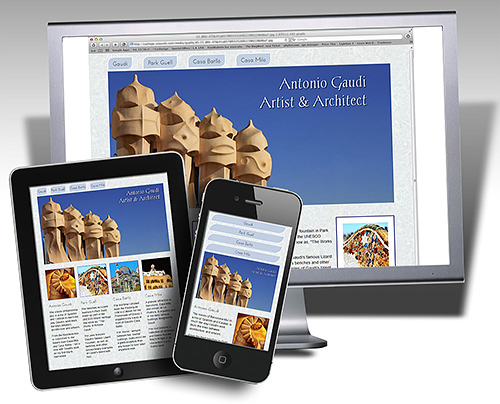
The biggest challenge of web design today is that your pages are as likely to be viewed on a widescreen television as a tiny cellphone screen. Discover how the new Fluid Grid Layout features in Dreamweaver CS6 make it easy to create responsive designs that adapt to the size of the browser window. (Read more…)
Interview with Author Janine Warner
Janine Warner is the author of every edition of Dreamweaver For Dummies.
In this interview, filmed at BlogWorld by publisher Wiley, Inc. Janine talks about her experience as a web designer, why she loves working with Dreamweaver, and how much has changed since she wrote her first Dummies book in the mid 1990s. (Learn more about Janine)
What’s the difference between a website & blog?
Dreamweaver vs WordPress
You might be surprised how many people are confused about the difference between a website and a blog, and how complicated it is to answer the question about which one is better…
Essentially, a blog (short for web log) is just a special kind of web site. Blogs are designed to make it easy for anyone to post text and images to the Internet (even if you don’t know HTML, the language of web design).
Read More dwcs3, dwcs4, dwcs5, dwcs6, web design, wordpress6 Reasons to Upgrade to Dreamweaver CS6
Over the years, web design has evolved into an increasingly complex field, and Dreamweaver has evolved with it, adding features that go way beyond the basics of combining a few words and images. Adobe’s dedication to keeping up with changing standards and adding new features with each new version is why Dreamweaver is such a [...]
Read More dwcs6Tracking web traffic: Google Analytics vs other traffic counters
Here are three traffic reporting services you can use on any web site. Get all the details with Google Analytics www.google.com/analytics Google Analytics is one of the best traffic counters on the web — and it’s free! You just add a little snippet of code to your Web pages, and Google tracsk your visitors, creating [...]
Read More dwcs3, dwcs4, dwcs5, dwcs6, web design, wordpressCreating Responsive Designs with Dreamweaver CS6 Fluid Grid Layout
Creating responsive designs is the best new thing in web design, and Adobe’s new Fluid Grid Layout system is a great place to start in Dreamweaver CS6. The new Fluid Grid Layout option is available from the File menu, and it’s a new category in the New Document Window. As you develop your designs, keep [...]
Read More css, dwcs6, mobile web designWhat is Dreamweaver?
Dreamweaver is the most popular commercial program for creating custom websites. Developed by Macromedia and later acquired by Adobe Software, Inc. Dreamweaver is part of the Adobe Creative Suite, which includes Photoshop, Illustrator, Flash, Premiere, Acrobat, and many other popular design programs.
You can download a free 30-day trial version of Adobe Dreamweaver.
What students say…
Hey Janine!
I was a reluctant Dreamweaver student at best – disgruntled might describe it better.
This is my 5th day using the 2 tutorial DVD’s I bought and it’s all starting to click! Yeah! I’m surprised to say… brace yourself… I think I’m actually starting to like Dreamweaver! Wow!!!
Thank you for your cheerful and easy to follow instructions. They have made all the difference in the world!
- Rebecca Burdock
Hi Janine,
“The company I’ve been working with for six months now has given me extra hours – and extra $$$ – to help implement a new CSS initiative for all four of their business units (read: websites).
The company’s Director of Technology was very impressed with my CSS expertise and is including me in bigger and more wide-reaching projects. I owe quite a bit to you, partly for your helpful resources and partly for making HTML and CSS cool!
Thanks!!”
~Tom Dumenjich
Los Angeles, CA
Dear Janine,
“I agree with the comments on your site – your videos really do make learning web design fun, and you manage to take the intimidation out of the process!
Definitely the best video tutorials I’ve seen!”
Thanks,
Michelle Ferguson
Chicago, Ill

