
 Facebook is the unquestioned market leader in the social networking space. Their growth over the last few years has been mind-boggling. With more than 1 billion users, Facebook is larger than most countries.
That’s an enormous audience, one that authors, actors, marketing experts and so many others around the world are trying to figure out how to use to promote their books, connect with their fans, and do market research.
But Facebook can be confusing when it comes to choosing a Profile, Group or Fan Page.
Which one is best for you?
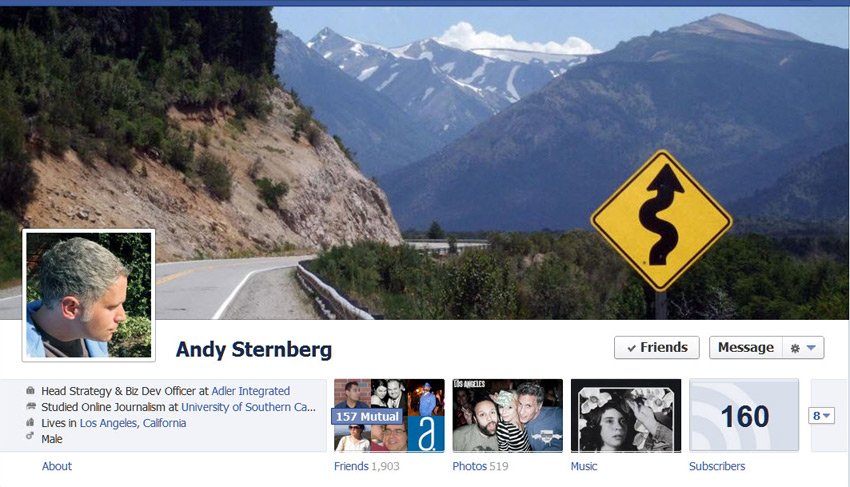
Profiles In a nutshell, Profiles are for individuals. You are supposed to use your real name in your profile and manage it yourself.
Groups are meant to foster discussion. Anyone can create a Group on Facebook on any topic and they can be managed by one or more people.
Fan Pages are designed to broadcast information to an audience and are best for brands, actors, authors, businesses, and the like. Pages may only be created and managed by official representatives
Note: If you want to create or manage a Group or Fan Page, you must first create your own profile.
Facebook Profiles
 This is the most familiar and simplest page to set up on the social-networking site, and the one that you probably already have if you’re at all savvy about social marketing. (If you don’t, this is definitely the place to start.)
A Facebook Profile is basically a page where you can tell the world about yourself, post pictures, videos or songs, and connect with other people. Profiles can serve personal and professional uses, but they are all about you as an individual.
Download a free timeline template and learn how to design a great Facebook Page or Profile.
Facebook Groups
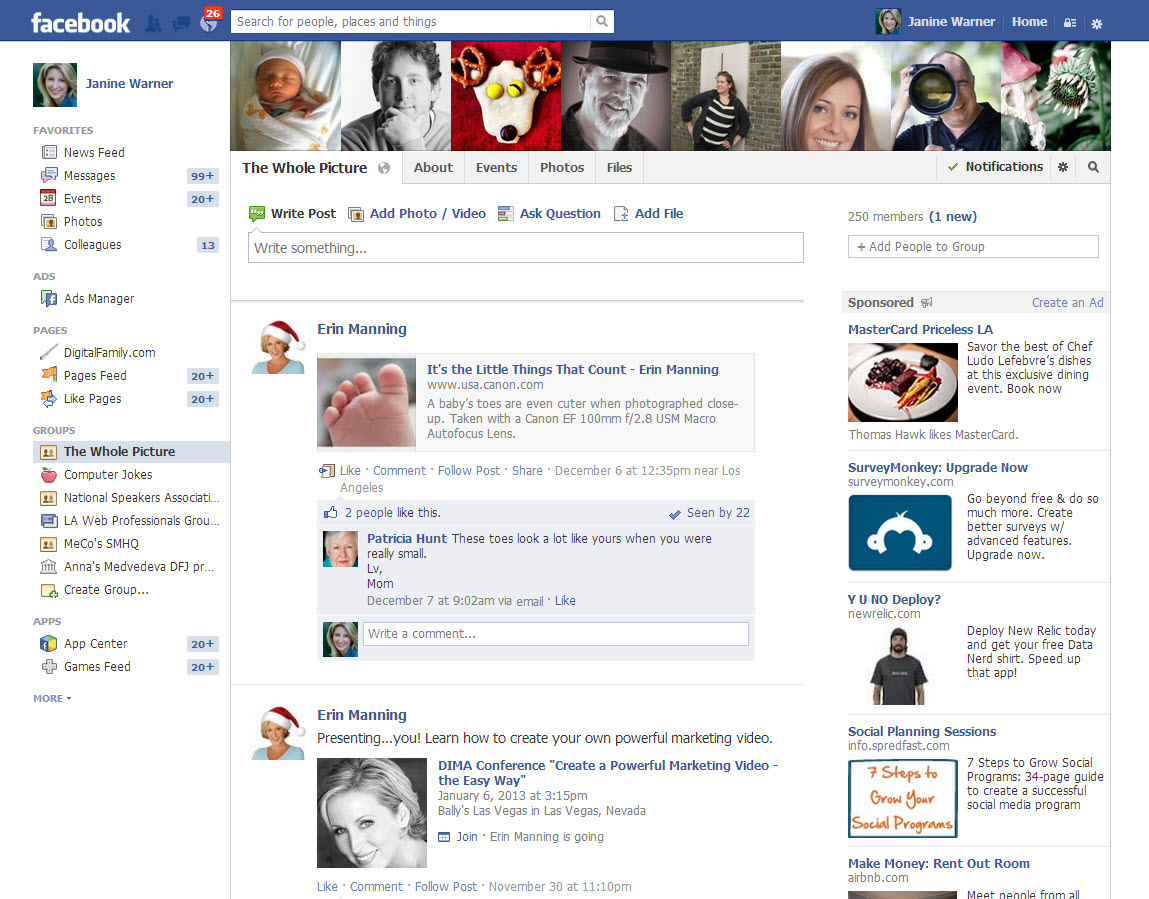 Anyone can create a group about pretty much anything – say you decide to start the “Funniest Posts on Facebook Group” – and huzzah! You are now the Group Administration and all you have to do is go out and find like-minded people to join. (Virtual pitchforks and torches are optional.)
Groups
- Privacy: Groups can be secret. Private posts are only visible to group members, but groups can also be made public.
- Audience: To join a group, you must be approved or added by other members.
- Communication: Group members can chat, share photos, collaborate on docs, post and organize events. Administrators can send group messages with some exceptions.
- Administration: Groups can have multiple administrators and they can also list officers. All administrators and officers’ names and positions are listed on the Group page, but only administrators can send out messages to the Group or add/remove other administrators or members.
- Size: Although there is no stated limit, most groups should not exceed 5,000 and some features are limited to small groups. For example, in groups over 250 members, only admins can send invitations to events.
To the Create a Group
Login with a profile account, open the home page and click the Create a Group link in the left side of your profile page.
You can find further instructions (and rules) for Groups in this Facebook help page
https://www.facebook.com/help/162866443847527/
Facebook Fan Pages
 If you’ve been thinking about impersonating Elvis, or organizing a demonstration in front of the new Starbucks on your block, Fan Pages are not the place to do it – at least if you want to follow the rules on Facebook. If you are a celebrity, or you work for one, Facebook Pages are for you.
Fan pages are designed to be very public places where you can post pictures, news updates, video, etc., but they have a few restrictions of their own. If you expect to attract more than 5,000 fans, Facebook recommends a Fan Page. Although you can now have as many subscribers on a profile as you like, friends and group members are limited to less than 5,000.
Pages
- Privacy: Fan pages (not surprisingly) are designed to be public. Page information and posts are generally available to everyone on Facebook.
- Administration: The main restriction with a Fan Page, according to Facebook, is that you can only create a Fan Page “if you are the official representative of an organization, business, celebrity, or band.”
- Audience: Anyone can like a Page and because there is no limit to the number, they are recommended for audiences.
- Communication: Page admins can share posts that appear in the news feeds of people who like the Page.
Another difference between Groups and Fan Pages is that the name of the administrator is not posted on a Fan Page — perhaps because Facebook understands that the Disney Fan Page probably isn’t managed by Walt himself. (Both Fan Pages and Groups can have multiple administrators.)
When you run a Fan Page, you can send individual messages to fans, but they appear in a separate Updates tab of your fan’s Inbox.
Another limit of Fan Pages is that you can only see the barest of information about your fans (their profile photo and name). In contrast, if you have a Group or Profile page, you can access the full profiles of all your contacts. This fits another quirk of Fan Pages –anyone can join a Fan Page and there is no approval process required (although you can remove fans if you choose to).
With Profiles and Groups, you must ‘invite’ and ‘accept’ each other to join or connect. The one exception to anyone being able to sign up for a Fan Page is that if you list your age as under 18, you can’t join Fan Pages that are designated as ‘adult only.’
To create a Fan Page
https://www.facebook.com/pages/create.php
Once you’ve created a Fan Page, just log into the profile account you associated with the Fan Page, search for your Fan Page names, and you’ll find the editing options when you get to the page already logged in.
For more on the rules specific to Fan Pages, visit this Facebook Help Pages: https://www.facebook.com/help/281592001947683/
Is it worth the effort?
If this all seems a bit too much to deal with, keep this in mind: the marketing gurus behind the “Twilight” series of books turned to social-networking to promote the books and movies in the spring of 2008. At that time the series had sold about 4 million books.
Less than a year later, thanks in large part to their social-networking campaign, the “Twilight” series had sold 42 million books.
When your efforts take off and go viral, the return on your investment of time and effort can be spectacular.