
If you’re not using these tools, you’re wasting your time
David LaFontaine contributed to this article
 Feeling overwhelmed by social media? Not ready to dedicate yourself full-time to managing all your social media profiles? These social media tools can help.
The tools on this list are a great place to start (for beginners and those on a limited budget), but there are hundreds of social media tools, and more popping up every second.
At the high end, you’ll find tools that cost thousands of dollars per month — among the most popular: Radian6, Crimson Hexagon, and UberVU. These tools are used by multinational corporations like Coca-Cola and Nike to make sure that the millions of customers talking about them are well-managed and rewarded for their loyalty and enthusiasm.
If you’re not ready to shell out thousands every month, you may be pleasantly surprised by how much you can get for free. As you progress from beginner to ‘social media ninja,’ (or whatever made up title is most popular at the moment), you may decide to pay for some of the more sophisticated tools. Many cost as little as $10 or $20/mo.
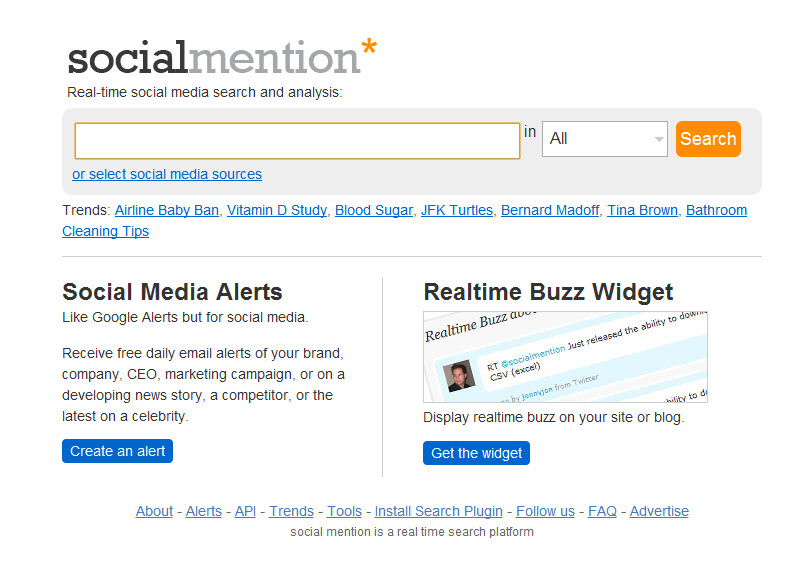
- SocialMention – This online services shows you how much people are talking about you (or any person or topic). If you’re trying to build your reputation, this will show you how well you’re doing. Hint: you can also use it to see what your competition is up to.
- HootSuite – One of the most popular social media tools, HootSuite is commonly used to manage profiles on Twitter and Facebook. Hootsuite makes it possible to preschedule posts to multiple social media sites, and enables you to do powerful searches to see what topics are trending. You can also use Hootsuite to organize your friends and followers into lists.
- Klout and Kred – these two sites can be really addictive to competitive people (and you know who you are, don’t you?). Klout and Kred both assign you a score between 1 and 100 that purports to show how influential you are, based on how well you are leveraging social media. Both Kred and Klout have been under criticized for their limited ways of measuring influence, and for incentivizing artificial behaviors. Despite that criticism, both sites are being used by marketers (for some big companies) as a way of finding (and rewading) influencers. Special bonus: if you get a high enough score, advertisers will may give you free stuff (like smartphones, clothes, or business cards) hoping that you’ll share your good feelings about them with your followers.
- Topsy – this real-time social media trend tool shows you what the most popular topics are that people are talking about.
- Bit.ly – this is a handy URL-shortener. It’s especially useful if you’re posting to Twitter where you can only use 140 characters and you don’t want a long URL to take up all of the room in your post. If you take the time to set up an account on Bit.ly, it also tracks how many people click on each link you post, which can help you determine which links are most successful, who in your audience is responding, where they are located, and even the best time of day to post.
- Edgerank Checker – This is great tool for monitoring and assessing what you’re doing on Facebook. Edgerank checks how popular your posts are, and helps you figure out how to post stuff that will show up high in the News Feeds of your friends. Honorable mention: AgoraPulse – a Facebook management and analytics tool that is for more advanced users. It starts at about $9/mo. But it allows you to build little apps for your friends/customers to use, like quizzes, sweepstakes, photo contests, coupons, etc.
- PeopleBrowsr – This is a powerful tool that can help you take an in-depth look at your online reputation over a period of up to 1,000 days. You can also search for brands or topics, and it displays who mentioned it, how often it was Shared, Liked or ReTweeted, and by whom. PeopleBrowser also generates a helpful graph which makes it easy to quickly identify when you’ve been the most popular over the past 3 years. The first 9 searches are free; after that, you have to pay.
- Nimble – is a social media “dashboard” and CRM tool that brings together all the conversations you’re having online by integrating your contacts list, email, and social media accounts, so that you don’t have to keep switching between applications. For example, when you get an email from someone, you can quickly see their latest Facebook updates, Tweets, and LinkedIn updates, before you reply. Nimble lets you see many conversation threads at once, in the same place, to make all your communications more efficient
- Wildfire – Recently acquired by Google, Wildfire is being integrated into everything that Google does. It’s still in the early stages, but it allows you to run Google ads to promote yourself, design custom pages, extend that messaging across social media networks, and then monitor how that’s working out with Google Analytics. Like many things Google does, Wildfire is very ambitious, and may turn out to be another case of Google trying to do too much, too fast. Or it could be the next killer app, like Gmail.
- Twitalyzer, TweetMeme, Twitter Advanced Search, and TrendsMap – These are all tools to use to search, analyze and make sense of the firehose of information streaming through Twitter.