
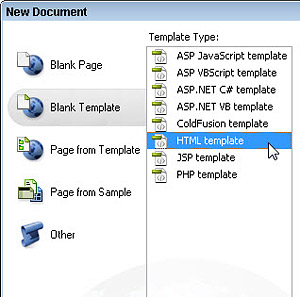
Using templates in web design is a great way to save time on your page designs — and there are a gazillian templates you can download from the Web.
But before you learn how to edit web sites with templates or themes, it’s helpful to understand the big picture:
What are templates best used for, and how do templates differ for different kinds of web sites and blogs?
The term template means many things (on and off the Web), but essentially: a template simply provides a way to store reusable design elements.
Templates can serve as a great shortcut in the design process. The idea is that once you get a page looking the way you like, you turn it into a template so you can use it to create additional pages faster and easier.
With WordPress Themes and Dreamweaver Templates, you can create new pages more quickly, and you can make global changes across many pages automatically. (For example, many designers save the main navigation links in a template so that if you add a new section later, you can easily add the same link to all of the pages in your site at once.)
What’s tricky is that not all templates are created equal
The quality of templates you find online can vary dramatically, and you can’t open every template in every program — you have to have the right program.
There are many different kinds of templates:
- Dreamweaver Templates
- WordPress Themes
- Templates for Adobe Flash
- Photoshop Templates
If you download a Flash template, you can’t edit it in Dreamweaver. You have to have the right program to edit a template.
Similarly, you can’t even see a WordPress template if you try to open it in Dreamweaver unless you set up a local server and install WordPress on your computer. That’s because WordPress is a CMS that creates web pages dynamically, so it has to have a web server to serve the pages.
You can edit WordPress themes in Dreamweaver, but working on WordPress templates is more complex than creating Dreamweaver templates with the .dwt extension for static HTML pages.
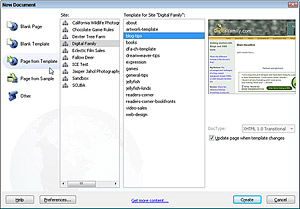
When you create a site completely in Adobe Dreamweaver, you can create the pages on your personal computer and then publish them to a web server when you’re ready to share them with the world.
That’s why you have to set up a site in Dreamweaver before you work on it — so you can manage two copies of your site — one on your computer, one on the server.
In contrast, most WordPress blogs are created, designed, and updated entirely on a web server. You don’t have to have a copy of WordPress on your personal computer to add new posts or edit a blog.
Using templates in WordPress and other CMSs
Templates such as the ones you get with a blogging program like WordPress or a CMS like Joomla or Drupal, use the extension .php because they use PHP (Hypertext Preprocessor) programming.
Although you can create PHP pages and templates in Dreamweaver, the types of templates (also called themes) that you need for WordPress and other CMSs are far more complex to create than .dwt Dreamweaver templates.
Because so many people use WordPress and Joomla, many sites offer free templates you can download to use on your blog — although the best templates for CMS programs usually aren’t free.
You can edit WordPress and Joomla templates in Dreamweaver, but before you start down that path, you may want to learn a little more about the difference between a website and a blog and how Dreamweaver differs from WordPress.
WordPress templates offer many of the same benefits as Dreamweaver templates — except that templates for blogs like WordPress draw their content from a database. As a result, they include XHTML and CSS like the Dreamweaver Templates, plus much more complicated code in the PHP programming language. (You can learn more about how CMSs and database-driven dynamic websites work in this article.)
Although creating a basic blog with a WordPress template is easy, editing a WordPress template is not so easy. Because that underlying technology is so complicated, changing the fonts, colors, columns in a page layout, and so on is also complicated.
What about Joomla templates?
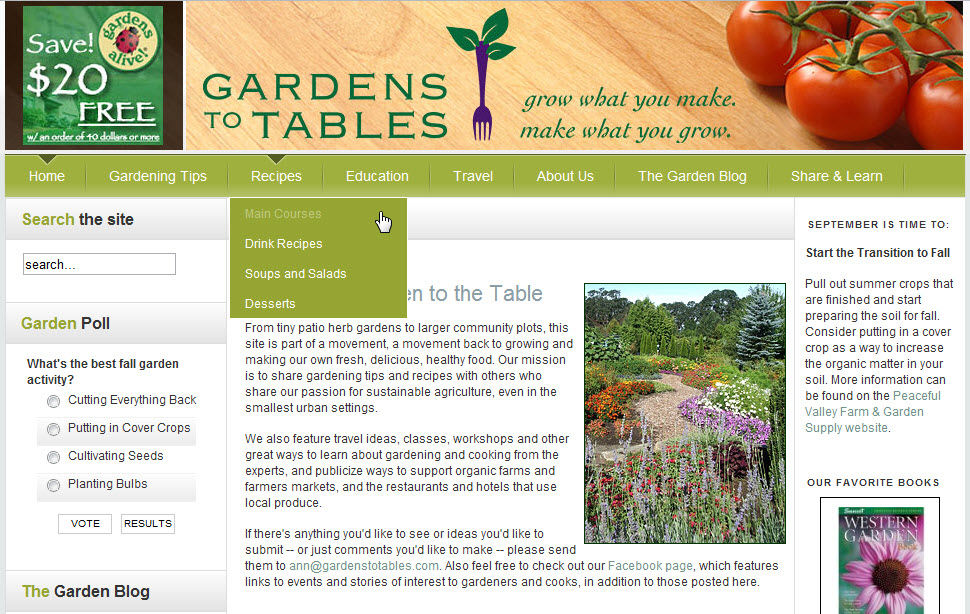 The gardening Web site www.GardenstoTables.com was created with a program called Joomla! (I don’t always use it, but the official name of Joomla includes an exclamation point!).
Similar to WordPress, Joomla! offers many types of templates and add-ons to make creating a dynamic Web site easier.
But remember, you often get what you pay for with Joomla templates, and creating your own templates for a program like Joomla is far more complex than creating basic HTML templates or using the .dwt Template features in Dreamweaver.
But don’t feel like you have to make a choice right away. You can always start your site as a static site in Dreamweaver and then graduate to a more complicated way of building a site, such as Joomla!, as your site grows.
Drupal is one of these effective software packages that helps people and businesses publish content on their websites.
Dream – Host is an online hosting company that offers products like domain registration, shared website
hosting, Virtual Private Server (VPS), and public cloud
services. The laws have been changing and many portals that offer services are finding it harder and harder
to get their word out there.
Which laws are you referring to? And what word is it that you are thinking is difficult for portals to get out? Not sure I understand the question here…