Description
By Janine Warner
Wiley Publishing
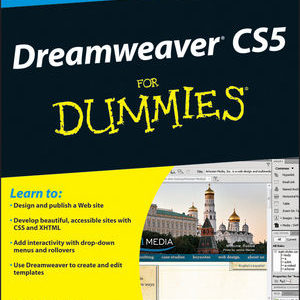
If you prefer a visual reference (instead of pages of boring gray text) you’re sure to appreciate this fully-illustrated. full-color guide to Dreamweaver CS5.
Each step includes a screenshot so you can see exactly what you’re doing as you go from the basics of Web design to creating complex page designs and even adding multimedia to your pages.
Discover how to:
- Create a new site in Dreamweaver
- Design and preview a Web page
- Format text and resize images
- Create a rollover image
- Open linked pages in new windows
- Work with cascading style sheets
- Upload pages and test your site
Table of Contents
Chapter 1 Getting Started with Dreamweaver
Introducing the World Wide Web 4
Explore the Many Ways to Design a Web Page 6
Plan Your Website 8
Start Dreamweaver on a PC 10
Start Dreamweaver on a Macintosh 11
Tour the Dreamweaver Interface on a PC 12
Tour the Dreamweaver Interface on a Macintosh 13
Show or Hide Features 14
Exit Dreamweaver 15
Get Help 16
Chapter 2 Setting Up Your Website
Define a New Website 20
Create a New Web Page 22
Add a Title to a Web Page 23
Save a Web Page 24
Preview a Web Page in a Browser 26
Chapter 3 Exploring the Dreamweaver Interface
Choose a Workspace Layout 30
Customize the Document Window 32
Format Content with the Property 34
Open a Panel 36
Open and Customize the Insert Panel 38
Set Preferences 40
Chapter 4 Working with HTML
Introducing HTML 44
Work in Design View and Code View 46
Explore Head and Body Tags 48
Explore Block-Formatting Tags 49
Clean Up HTML Code 50
View and Edit Head Content 52
Make Quick Edits to HTML Tags 54
Using Code Snippets to Add Special Formatting 56
Chapter 5 Formatting and Styling Text
Create a Heading 60
Create Paragraphs 62
Create Line Breaks 64
Indent Paragraphs 65
Create Lists 66
Insert Common Special Characters 68
Insert Other Special Characters 70
Copy Text from Another Document 72
Chapter 6 Working with Images and Multimedia
Insert an Image into a Web Page 76
Wrap Text around an Image 78
Add Space around an Image 80
Crop an Image 82
Resize an Image 84
Open an Image in an Image Editor 86
Add a Background Image 88
Change the Background Color 90
Change Text Colors 91
Insert a Flash File 92
Insert a Flash Video File 94
Create a Rollover Image 96
Insert a YouTube Video 98
Chapter 7 Creating Hyperlinks
Link to Other Pages in Your Website 102
Link to Another Website 104
Using an Image As a Link 106
Create a Jump Link within a Page 108
Create a Link to Another File Type 110
Create an Image Map 112
Create a Link Using the Files Panel 114
Open a Linked Page in a New Browser Window 115
Create an Email Link 116
Check Links 117
Change the Color of Links on a Page 118
Chapter 8 Adding and Editing Tables
Insert a Table into a Web Page 122
Insert Content into a Table 124
Change the Background Color of a Table 126
Change the Cell Padding in a Table 128
Change the Cell Spacing in a Table 129
Insert a Table inside a Table Cell 130
Change the Alignment of Cell Content 131
Insert or Delete a Row or Column 132
Split or Merge Table Cells 134
Change the Dimensions of a Cell 136
Change the Dimensions of a Table 137
Using Percentages for Table Width 138
Format a Table with CSS 140
Chapter 9 Creating Web-Based Forms
Introducing Forms 144
Define a Form Area 145
Add a Text Field to a Form 146
Add a Check Box to a Form 148
Add a Radio Button to a Form 150
Add a List/Menu to a Form 152
Add a Button to a Form 154
Chapter 10 Using Library Items and Templates
Introducing Library Items and Templates 158
View Library Items and Templates 159
Create a Library Item 160
Insert a Library Item 162
Edit and Update a Library Item on Your Pages 164
Detach Library Content for Editing 166
Create a Template 168
Set an Editable Region in a Template 170
Create a Page from a Template 172
Edit a Template and Update Web Pages Created with It 174
Chapter 11 Creating and Applying Cascading Style Sheets
Introducing Cascading Style Sheets 178
Edit Styles with the Property Inspector 180
Create a Class Style 182
Apply a Class Style 184
Edit a Style 186
Customize an HTML Tag 188
Change the Font Face 190
Using a Linked Font in a Style Rule 192
Change the Font Size 196
Change the Font Color with the Property Inspector 197
Change Font and Text Colors for an Entire Page 198
Create Styles with the Page Properties Dialog Box 200
Create an External Style Sheet 202
Attach an External Style Sheet 204
Edit an External Style Sheet 206
Chapter 12 Designing a Website with CSS
Introducing CSS Layouts 210
Create a Web Page with a CSS Layout 212
Edit a CSS Layout 214
Add an Image to the Header 216
Add an Image to a CSS Layout 218
Using Floats to Align Elements 220
Change the Dimensions of a CSS Layout 222
Change the Color of a Headline 224
Create a Compound Style 226
Add a Drop Shadow 228
Add a Text Shadow 230
Create an AP Div with Content 232
Resize and Reposition AP Divs 234
Chapter 13 Publishing a Website
Publish Your Website 238
Using the Site Window 239
Add Web Browsers for Testing Pages 240
Preview Your Pages in Multiple Web Browsers 242
Organize Your Files and Folders 244
Set Up a Remote Site 246
Connect to a Remote Site 248
Upload Files to a Web Server 250
Download Files from a Web Server 252
Synchronize Your Local and Remote Sites 254
Chapter 14 Maintaining a Website
View Visual Aids 258
Manage Site Assets 260
Add Content with the Assets Panel 262
Specify Favorite Assets 264
Validate Your Code 266
Make Design Notes 268
Run a Site Report 270
Change a Link Sitewide 271
Find and Replace Text 272
Chapter 15 Adding Interactivity with Spry and JavaScript
Introducing Spry and Behaviors 276
Create a Drop-Down Menu 278
Edit a Drop-Down Menu 282
Create Tabbed Panels 284
Add Content to Tabbed Panels 286
Edit Tabbed Panels 288
Using the Open Browser Window Behavior 290
Templates and other goodies
Looking for templates or graphics for one of our books? Visit our Reader’s Corner.