
Web Design BasicsDreamweaver FAQ: Find Answers Fast
Ask the Author
If you search the site, review the tutorials, and check the FAQ, and you still need more help...
Email: Janine@DigitalFamily.com
Get Started with the New Site SetUp Process in Dreamweaver CS5
Use the Widget Browser to add slideshows, drop-down menus, and other features to Dreamweaver CS5
Use Adobe Dreamweaver CS5 to edit a WordPress blog post or theme
New CSS Features in Dreamweaver CS5 make it easier to test and design with Cascading Style Sheets
Test Your Web Pages in Adobe BrowserLab and other Web Browser Testing Services
New Language Support in Adobe Dreamweaver CS5: Spanish, Dutch, Russian, Turkish, and more...
10 Quick Reasons to upgrade to Adobe Dreamweaver CS5
Compare: What's the difference between a Web site and a blog?
WordPress 101: How do you create a WordPress blog?
Dreamweaver CS5 enhanced support for editing WordPress blogs or theme
How to edit a WordPress blog with Dreamweaver
Testing Server: Set up a Web server to run WordPress, Joomla, or any CMS with Dreamweaver
Blogging Programs: Which is best: WordPress, TypePad, or Blogger?
CMS Review: What's the difference between WordPress, Joomla and Drupal and how do Content Management Systems Work?
Why use Cascading Style Sheets (CSS)?
Customize a CSS Layout in Dreamweaver
(CS3, CS4)
Align Images with CSS floats (CS3, CS4))
CSS selectors: When to use Class, ID, Tag, or Compound (CS5, CS4)))
Dreamweaver CS3 CSS Selector Options: Class, Tag, or Advanced (CS3)
Create a Navigation Bar with an Unordered List and CSS (CS3)
Compare Layout Options: Tables/Layers/AP Divs/CSS ( 8, CS3, MX))
Trick Out Your Site:Compare eCommerce Shopping Carts
(that don't cost much)
Add a shopping cart with Google Checkout - it's so easy
Add a PayPal Buy Button to sell one item, membership, or service
What's the best eCommerce option? Google Checkout vs PayPal vs. Amazon Payments
Traffic counters, email spam protection, newsletter services, favicons, and more
How to add Code in Dreamweaver for Google AdSense, Flickr, YouTube, and more...
Add new features to Dreamweaver with Extensions (CS4, CS3)
Use Swap Image Behavior to Create Multiple Rollovers
(CS3, CS4)
Use a Behavior to Launch a New Browser Window (CS3, CS4)
Add a Drop-Down Menu in Dreamweaver CS3 or CS4
Edit a Spry Drop-Down Menu created with Dreamweaver
Create Collapsible Panels with Spry in Adobe Dreamweaver CS3 or CS4
Order Web Design Books & VideosSome teachers have human assistants, I get a little help from technology.
Before you send a question, please search my Dreamweaver FAQ (Frequently Asked Questions).
I answer a lot of questions by email, but you may find an answer more quickly by looking around on this Web site.
You'll find many free tutorials in the Dreamweaver section that can help you with common tasks
Still can't find the answer you need? Email Janine@DigitalFamily.com.
Sometimes I surprise people and solve a problem for them right away, but sometimes messages get caught in a spam filter or I'm super busy, so I can't promise to answer them all.
Some teachers have the luxury of working with small classes, I answer questions from the more than a half million people who have bought my books and training videos. It's only possible because you don't all ask at once.
If you can't find the help you need on this site, email me at janine@DigitalFamily.com and I will try to help.
partners ad sponsors
_______
_______
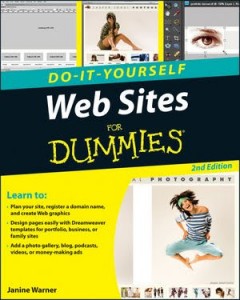
Web Sites DIY For Dummies (2nd Edition)Looking for the templates for the new version of this book? If the cover of your book looks like this one, just visit the Reader's Corner by following this link and answer the question that goes with this version of the book.

You can download and use any of the optmized images on our free stuff page.
You'll find all of the templates for this book, in Reader's Corner by following this link and answer the question that goes with this version of the book.
Web Sites Do-It-Yourself For Dummies (1st Edition)To download the templates and images featured in the first edition of this book, click on this link to enter the Reader's Corner and look for this cover design.
...
Contact | Terms & Conditions of Use | Privacy Policy | Site Map
Copyright 2001 to 2010. All rights reserved. DigitalFamily.com is owned and operated by Artesian Media, Inc.
